

Peggy needs your school and activity email to be of any use. It doesn't need the rest - here's exactly where the line is, and how to check it yourself.
Why the permission looks so big
Google's Gmail permissions are blunt instruments. There is no permission that says "only share email from these ten senders." That option doesn't exist.
So Google hands us a big key and we choose not to use most of it. Which means the limit is one we set in our own software, not a lock Google installed. If that makes you uneasy, you're paying attention - and it's exactly why we label everything we read, so you never have to take our word for it.
What happens when an email arrives
First we look at the envelope. Three lines, and nothing else:
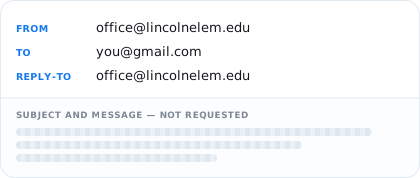
Not the subject line. Not a word of the message. Then one of two things happens.
A sender you approved

We read it, attachments included, and turn the useful part into a card in Peggy so you can manage your life with your kids better.
Anyone else
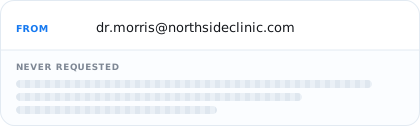
We never ask Google for the message. Nothing read, nothing stored, nothing sent to any AI model. There's no copy of it inside Peggy to leak. We actually want nothing to do with it.
When we say "scanning your emails"
You'll see that word in the app when you first sign up, so here's what it means. Peggy asks Google to search your mailbox for terms like your school's name. Google runs the search on its side and tells us only which emails matched - never what's inside them. Scanning is performing a search, not reading. It's how Peggy can suggest senders for you to approve without opening anything.
Check us in ten seconds
Every email Peggy reads gets a Peggy label in Gmail. That list lives in your mailbox, so you can see at any moment what Peggy has read.
Gmail → Labels → Peggy → that's all of it.
Who's checked this besides us
Every year, independently
Google reviews us annually. Any app that connects to Gmail has to pass an independent security assessment to keep that access, and pass it again every twelve months. Peggy has been independently validated through the App Defense Alliance.
In progress
A licensed CPA firm examining the promise on this page. When it's done, their report will be linked right here.
Leaving, and what we delete
You can revoke Peggy's access from your Google account, or delete your Peggy account, at any time - without asking us first. Either way everything is deleted within seven days:
7 days after you connect Gmail, if you decide not to subscribe.
7 days after a subscription or free trial ends.
The seven days is a grace period, not a hold. It's there so that changing your mind - or taking a few days to decide - doesn't cost you your whole setup.
A note about Privacy
I built Peggy for myself, and I don't want anyone reading all of my email either.
Everyday, a new AI assistant launches that requires you to give full access to everything. Personally, I'm not comfortable signing up for that, and I'm even more uncomfortable having that level of access. We could be hacked - anyone can be - so I'd much rather not have any sensitive emails that could leak. Beyond that, I simply don't need them to make Peggy work.
Wherever we can add another guardrail, we will. Privacy is not a feature for us. It's the foundation.

The complete detail is in our Privacy Policy. If anything here reads as vague or evasive,
email hello@peggyapp.com and we'll fix the wording.